Table of Contents
ToggleIntroduction
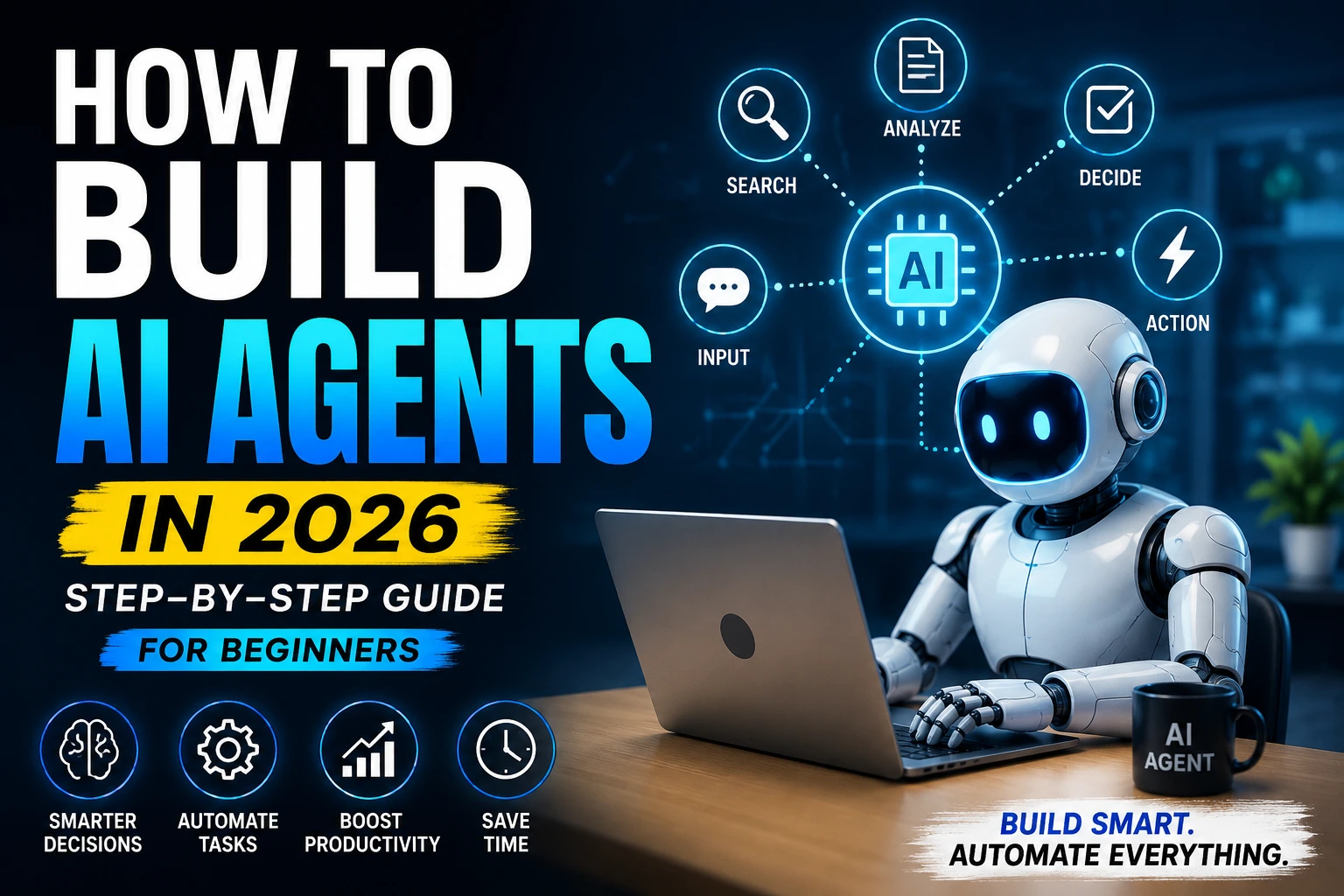
How to Build AI Agents The digital landscape is shifting beneath our feet. If 2023 was the year of the chatbot and 2024 was the year of integration, then 2026 is officially the era of the AI Agents. We have moved past the phase where AI is just a clever interface for answering questions or generating poems. Today, the real power lies in Agentic AI—systems that don’t just talk about work but actually execute it.
If you’ve ever felt the frustration of manually copying data between apps, spending hours on repetitive research, or wishing your AI could “just do it” instead of “telling you how to do it,” then learning how to build AI agents is the single most important skill you can acquire this year.
Beyond the Chatbot: What is an AI Agent?
To understand how to build AI agents, we first must define what they are. Unlike standard LLMs (Large Language Models) like ChatGPT, which act as passive advisors, an AI Agent is an autonomous entity. It is equipped with a “brain” (the model), “memory” (contextual data), and—most importantly—“tools” (APIs, web browsers, and software access).
Imagine asking an AI to “plan a 5-day business trip to Singapore.”
A Chatbot will give you an itinerary and some flight suggestions.
An AI Agent will check your calendar, search for the best flights within your budget, compare hotel proximity to your meeting venue, and wait for your click to finalize the booking.
Why You Need to Learn This Now
The barrier to entry for building these sophisticated systems has collapsed. You no longer need a PhD in Machine Learning to create a digital workforce. Whether you are a WordPress designer looking to automate client onboarding, a developer aiming to build self-healing code, or an entrepreneur wanting to scale without hiring a massive team, the “agentic workflow” is your secret weapon.
In this deep-dive guide, we are going to demystify the architecture of autonomy. We will explore the frameworks that make these agents possible—from CrewAI and LangChain to no-code platforms—and provide a clear, step-by-step roadmap on how to build AI agents that are reliable, ethical, and incredibly efficient.
The goal is simple: to move you from a “user” of AI to a “builder” of AI systems. Let’s stop chatting with the future and start building it.
Step 1: Define Your Mission – Choose Your Goal
The most common mistake beginners make when learning how to build AI agents is trying to build a “god-mode” AI that does everything. In the world of Agentic AI, specificity is your superpower. Before you write a single line of code or connect an API, you must define a clear, narrow mission for your agent.
Think of an AI agent as a new employee. If you give them vague instructions, they will produce vague results. But if you give them a specific role and a measurable goal, they will outperform your expectations.
High-Impact Goal Examples for Beginners
If you aren’t sure where to start, here are four proven “starter goals” that provide immediate value:
The Content Strategist: Instead of just writing a paragraph, this agent researches trending topics in your niche, analyzes keyword competition, and generates a full SEO-optimized blog outline.
The Inbox Zero Assistant: An agent that monitors your emails, categorizes them by urgency, summarizes long threads, and drafts context-aware replies for you to review.
The Social Media Manager: This agent can take a single long-form article and “repurpose” it into five tweets, a LinkedIn post, and a script for a TikTok video—all while maintaining your brand voice.
The Market Research Analyst: Task this agent with “scraping” the latest news about a specific technology (like WordPress or AI) and providing a daily executive summary of what matters most.
The “Niche-Down” Strategy
To make your agent truly effective, you should follow the Rule of One:
One Persona: (e.g., You are a Senior WordPress Designer).
One Task: (e.g., Audit this website’s landing page for conversion issues).
One Output: (e.g., A bulleted list of 5 actionable improvements).
💡 Pro-Tip: The “Walk Before You Run” Philosophy
When you are figuring out how to build AI agents, start with a “Micro-Agent.” Build an agent that does one tiny thing perfectly—like renaming files or summarizing a YouTube video. Once you master the logic of a single-task agent, you can then begin connecting multiple agents together to form a “Crew” or a complex workflow.
Step 2: Choose Your Engine – The Right Tools for the Job
How to Build AI Agents Once you have a goal, you need the right vehicle to get there. In 2026, the ecosystem for how to build AI agents has split into two clear paths: No-Code Platforms for rapid deployment and Developer Frameworks for deep customization.
For a beginner, the rule is simple: Start where you can see results in 10 minutes.
1. No-Code Powerhouses (Best for Beginners)
If you can describe a task in plain English, you can build an agent using these tools. They handle the “hosting” and “logic” for you.
OpenAI GPTs & Assistants: This is the easiest entry point. By using the OpenAI GPT Builder, you can upload your own PDFs, connect to the web, and give your agent a specific “instruction set” without touching a single line of code. It’s perfect for personal research or internal business bots.
Zapier Central: If you want your agent to actually do work across 6,000+ apps (like Slack, Gmail, or HubSpot), Zapier Central is the leader. You can teach the agent how to behave across different apps using natural language.
Lindy & Relevance AI: These are the new “Agent-First” platforms. They allow you to build complex, multi-step workflows. For example, you can build an agent that finds leads on LinkedIn, writes a personalized email, and adds them to your CRM—all through a visual drag-and-drop interface.
2. Low-Code & Pro Frameworks (For More Control)
As you get comfortable with the basics of how to build AI agent, you may want more “under the hood” control. This is where frameworks come in:
CrewAI: The most popular choice in 2026 for “Multi-Agent” systems. It allows you to create a “crew” of specialized agents (e.g., one Researcher, one Writer, one Editor) who work together to finish a task. It requires basic Python but is famous for its “human-like” delegation logic.
LangChain / LangGraph: The “industry standard” for professional developers. It offers total control over the agent’s memory and decision-making graph. It is more complex but allows you to build enterprise-grade systems that never “hallucinate” or lose track of tasks.
n8n / Make: These are visual automation tools that now have “AI Nodes.” They are perfect for WordPress designers because they look like a flow-chart. You can visually map out exactly where the data goes.
Quick Comparison Table
| Tool | Skill Level | Best For… |
| OpenAI GPTs | Zero Code | Quick, personal assistants. |
| Zapier Central | No-Code | Connecting 100+ apps together. |
| CrewAI | Low-Code | Multi-agent teams (Researcher + Writer). |
| LangChain | High-Code | Complex, custom enterprise software. |
👉 The Expert’s Advice for Beginners
Don’t get stuck in “analysis paralysis.” If you are a WordPress designer or a small business owner, start with Zapier Central or OpenAI GPTs. Why? Because the most important part of learning how to build AI agents isn’t the code—it’s learning how to give clear, logical instructions to the AI. Once you master “Prompting” and “Logic,” switching to a harder tool is easy. How to Build AI Agents
Step 3: Define the Flow – Mastering Inputs and Outputs
Every successful AI system follows a fundamental logic: Garbage In, Garbage Out. When you are learning how to build AI agents, you must realize that the agent is only as good as the data it receives and the format it delivers.
Think of this step as defining the “Contract” for your agent. You are telling the agent exactly what it should look for (Input) and exactly what the finished product should look like (Output).
1. The Input: Providing the Context
The input is the “Trigger” for your agent. In a simple chatbot, the input is just a message. In a sophisticated AI agent, the input can be much more complex.
User Prompts: Direct instructions like, “Write a blog post about AI Agents.”
External Data: A PDF file, a website URL, or a CSV spreadsheet that the agent needs to analyze.
Triggers: An event, such as “A new lead filled out a form on my WordPress site” or “I received a new email from a client.”
2. The Output: Delivering the Value
The output is the “Result.” Beginners often let the AI decide the output format, which usually leads to a generic wall of text. When building AI agents, you should dictate the structure of the output.
Example Input: “Analyze the top 5 ranking pages for the keyword ‘Best WordPress Themes’.”
Bad Output: A long, rambling essay about themes.
Great Output: A structured Markdown table comparing the features, prices, and SEO scores of those 5 themes, followed by a 500-word summary.
The “Clear Instruction” Framework
To get 10-star results, use the C.A.S.E. method when defining your agent’s instructions:
C – Context: Tell the agent who it is (e.g., “You are a professional SEO copywriter”).
A – Action: What is the specific task? (e.g., “Draft a blog post”).
S – Specifics: What are the constraints? (e.g., “Use 3 headings, include the keyword ‘How to build AI agents’ twice, and keep the tone professional”).
E – Example: Show the agent what a “good” result looks like.
🔄 The Loop: Refinement
In more advanced setups, the output of one agent becomes the input for the next.
Agent A (Researcher) outputs a list of facts → Agent B (Writer) takes those facts as input to write a draft → Agent C (Editor) takes that draft as input to check for errors.
👉 The Golden Rule for Beginners
Clear instructions = Better results. If your agent is giving you poor quality, don’t blame the AI—check your Input and Output definitions. Are you being too vague? Are you asking for too much at once? Break the task down into smaller, bite-sized “Inputs” to ensure the “Output” is always high quality.
Once you have a goal, you need the right vehicle to get there. In 2026, the ecosystem for how to build AI agents has split into two clear paths: No-Code Platforms for rapid deployment and Developer Frameworks for deep customization.
For a beginner, the rule is simple: Start where you can see results in 10 minutes.
1. No-Code Powerhouses (Best for Beginners)
If you can describe a task in plain English, you can build an agent using these tools. They handle the “hosting” and “logic” for you.
OpenAI GPTs & Assistants: This is the easiest entry point. By using the OpenAI GPT Builder, you can upload your own PDFs, connect to the web, and give your agent a specific “instruction set” without touching a single line of code. It’s perfect for personal research or internal business bots.
Zapier Central: If you want your agent to actually do work across 6,000+ apps (like Slack, Gmail, or HubSpot), Zapier Central is the leader. You can teach the agent how to behave across different apps using natural language.
Lindy & Relevance AI: These are the new “Agent-First” platforms. They allow you to build complex, multi-step workflows. For example, you can build an agent that finds leads on LinkedIn, writes a personalized email, and adds them to your CRM—all through a visual drag-and-drop interface.
2. Low-Code & Pro Frameworks (For More Control)
As you get comfortable with the basics of how to build AI agents, you may want more “under the hood” control. This is where frameworks come in:
CrewAI: The most popular choice in 2026 for “Multi-Agent” systems. It allows you to create a “crew” of specialized agents (e.g., one Researcher, one Writer, one Editor) who work together to finish a task. It requires basic Python but is famous for its “human-like” delegation logic.
LangChain / LangGraph: The “industry standard” for professional developers. It offers total control over the agent’s memory and decision-making graph. It is more complex but allows you to build enterprise-grade systems that never “hallucinate” or lose track of tasks.
n8n / Make: These are visual automation tools that now have “AI Nodes.” They are perfect for WordPress designers because they look like a flow-chart. You can visually map out exactly where the data goes.
Quick Comparison Table
| Tool | Skill Level | Best For… |
| OpenAI GPTs | Zero Code | Quick, personal assistants. |
| Zapier Central | No-Code | Connecting 100+ apps together. |
| CrewAI | Low-Code | Multi-agent teams (Researcher + Writer). |
| LangChain | High-Code | Complex, custom enterprise software. |
👉 The Expert’s Advice for Beginners
Don’t get stuck in “analysis paralysis.” If you are a WordPress designer or a small business owner, start with Zapier Central or OpenAI GPTs. Why? Because the most important part of learning how to build AI agents isn’t the code—it’s learning how to give clear, logical instructions to the AI. Once you master “Prompting” and “Logic,” switching to a harder tool is easy. How to Build AI Agents
Step 4: Architect the Workflow – Designing the Logic
Designing the workflow is the most exciting part of learning how to build AI agents. This is where you stop treating AI like a search engine and start treating it like a process. A workflow is simply the “map” that your agent follows to get from the initial Input to the final Output.
In 2026, the most successful agents don’t just “guess” the answer; they follow a structured, multi-step logical path to ensure accuracy and quality.
The Anatomy of a High-Performing Workflow
To build a reliable agent, your workflow should follow these four essential stages:
The Trigger (Reception): This is the starting gun. It could be a manual prompt, a scheduled time (e.g., every Monday at 9 AM), or a web-hook (e.g., when a new comment is posted on your WordPress blog).
The Research & Analysis Phase: Instead of writing immediately, the agent “pauses” to gather context. It might browse the web, read a database, or look up your previous “User Summary” to understand your style.
The Generation Phase (The Brain): This is where the LLM (Large Language Model) processes the gathered data. Using the instructions you defined in Step 3, the agent drafts the content, solves the problem, or makes the decision.
The Delivery (Action): The workflow isn’t finished until the result is sent where it needs to go—whether that is saving a document to Google Drive, posting a tweet, or sending a Slack notification to your team.
Example: A Content Automation Workflow
If you are using a tool like Zapier or Make, your workflow for a “Social Media Agent” would look like this:
Step A: Trigger when a new article is published on your website.
Step B: The Agent reads the URL and summarizes the key points.
Step C: The Agent generates 3 different captions (Funny, Professional, and Question-based).
Step D: The Agent automatically uploads these to a “Social Media Calendar” for your approval.
The Power of Automation Tools
While you can build these workflows with code, tools like Zapier have made it incredibly easy for beginners to master how to build AI agents. With their “Central” platform, you can visually connect “Nodes.”
Visualize it like a factory line: Data comes in at one end, the AI agent works on it in the middle, and a finished product comes out at the other end.
👉 The “Human-in-the-Loop” Tip
Especially when you are just starting, add a “Review” step to your workflow. Don’t let your agent post directly to the public yet. Have the agent send the output to your email or a private Discord channel first. Once you see that the agent is consistently 100% accurate, you can remove the “Review” step and let it run on full autopilot. How to Build AI Agents
Step 5: The Power of Autopilot – Adding Automation
Automation is the “engine” that drives your agent. Without it, you just have a very smart chatbot that you still have to manage manually. When you learn how to build AI agents with integrated automation, you stop being a “doer” and start being a “manager.”
In 2026, automation isn’t just about moving text; it’s about creating a seamless link between the AI’s brain and your digital world.
The “Set It and Forget It” Architecture
A truly autonomous agent functions without you needing to press “Start.” To achieve this, you need to connect your agent’s logic to your existing software stack. Here is how a professional automated workflow looks in action:
Step A: The Intake: A client fills out a project inquiry form on your WordPress site.
Step B: The Intelligence: Your AI agent immediately analyzes the request, checks your availability in Google Calendar, and researches the client’s company.
Step C: The Action: The agent drafts a personalized proposal and sends it to your “Drafts” folder in Gmail, then notifies you on WhatsApp that a new lead is waiting.
Key Automation Tools for 2026
To bridge the gap between “Thinking” and “Doing,” you should explore these connectors:
Webhooks: The “Internet’s doorbell.” It allows your website to tell your AI agent exactly when something happens (like a new sale or a new comment).
API Connectors: Tools like Make.com or Zapier act as the glue, allowing your agent to “talk” to thousands of apps like Trello, Slack, and Shopify.
Direct CMS Integration: For WordPress Designers, you can use plugins that allow your AI agent to post directly to your site as a “Draft” or “Published” post, complete with SEO metadata and featured images.
Why Automation is a Game-Changer
Scalability: An automated agent can handle 100 requests as easily as it handles one.
Consistency: Unlike humans, an automated agent never forgets to follow up or post on schedule.
Time Freedom: By automating the “Thinking + Doing” cycle, you can save upwards of 20–30 hours a week on repetitive administrative tasks.
👉 The Expert’s “Safety First” Advice
As you master how to build AI agents, you might be tempted to automate everything immediately. However, the best approach is the “Draft-First” method. Configure your automation to save the AI’s output as a “Draft” or “Pending” status first. Once you have monitored the agent for a week and are confident in its performance, toggle the switch to “Full Auto. How to Build AI Agents
Step 6: Stress Testing – Refining for Perfection
Building the agent is only 90% of the job. The final, and perhaps most crucial, step in learning how to build AI agents is the testing and optimization phase. AI models are non-deterministic, meaning they can sometimes give different answers to the same question. Your goal in Step 6 is to ensure consistency and reliability.
Before you let your agent handle real-world tasks or interact with clients, you must put it through a “probationary period.“
The Three Pillars of Agent Testing
To ensure your agent is ready for prime time, evaluate it based on these three criteria:
Accuracy (The “Truth” Test): Does the agent follow instructions perfectly? If you told it to write 500 words, did it write 500 or 1,000? If it’s researching facts, are the sources credible?
Tip: Run the same prompt 5 times. If the result is wildly different each time, your instructions (Step 3) are too vague.
Latency (The “Speed” Test): How long does the agent take to complete the workflow? In 2026, user experience is king. If an agent takes 3 minutes to reply to a customer query, it might be too slow. You may need to switch to a faster “Small Language Model” (like GPT-4o-mini) for simple tasks.
Edge Case Handling (The “Stress” Test): What happens if the agent receives “bad” data? If a user enters gibberish into your input form, does the agent crash, or does it politely ask for clarification? A robust AI agent should be able to handle errors gracefully.
The Optimization Loop: “Prompt Tuning”
If your agent isn’t performing as expected, don’t delete it. Instead, engage in Prompt Tuning.
Identify the Failure: Where exactly did the agent get confused?
Update the Instruction: Add a “Negative Prompt” (e.g., “Do not use emojis” or “Do not mention competitors”).
Re-test: Run the workflow again to see if the fix worked.
👉 The “Beta Launch” Strategy
When you are confident in how to build AI agents, launch your creation to a small, private group first. If it’s a content agent, use it for your own blog for two weeks before offering it as a service to clients. This “Beta” phase allows you to catch minor bugs in a low-risk environment. How to Build AI Agents
Step 7: Evolve and Scale – From Bot to Digital Workforce
How to Build AI Agents Once your AI agent is functional, the real journey begins. In the fast-moving landscape of 2026, an agent that stays static quickly becomes obsolete. Scaling is about moving from a single “helper” to a robust system that handles the heavy lifting of your business. How to Build AI Agents
Strategies for Professional Scaling
The Multi-Agent Shift: Instead of a “God Agent” that tries to do everything, build a “Crew.” For your WordPress business, you might have one agent for Market Research, another for SEO Copywriting, and a third for Technical Auditing. They work together, handing off tasks like a professional relay team.
Deep Memory Integration: Move beyond simple prompts by connecting your agent to a Vector Database (Long-term memory). This allows the agent to remember your specific coding style, previous client preferences, and past project data over months or even years.
Advanced Tooling: Give your agent “Executive Powers.” Instead of just writing a blog post, give it the ability to log into your WordPress dashboard, upload the post, and even request an image from a generator like Midjourney or DALL-E to serve as the featured image.
Real-World Case Study: The “Auto-Blog” Agent
For a WordPress Designer, this is the “Holy Grail” of automation. Imagine an agent that performs the following loop every Monday morning:
Analyze: Scans Google Trends for “AI in Web Design 2026.”
Draft: Writes a 1,200-word deep dive using your unique professional voice.
Optimize: Uses a “Rank Math” API to ensure a 90+ SEO score.
Publish: Uploads the post, tags it, and generates a summary for your LinkedIn and Facebook pages. Result: You maintain a high-traffic blog while you sleep.
The Strategic Edge: Benefits & Pitfalls
Why You Should Build Agents Now
Hyper-Productivity: One person can now manage the output of a 5-person agency.
New Revenue Streams: You can sell “Managed AI Workflows” to your clients as a monthly subscription service.
Competitive Advantage: While others are “using” ChatGPT, you are “building” custom systems that no one else has.
Common Mistakes to Avoid (The “2026 Survival List”)
❌ Unclear Guardrails: Never give an agent full access to your bank account or sensitive client data without a “Human-in-the-loop” approval step.
❌ Context Rot: If a conversation gets too long, the AI starts getting “confused.” Always clear the agent’s short-term memory between different tasks.
❌ Ignoring the “Vibe Test”: Don’t just trust the data. Always check if the AI’s tone matches your brand’s human personality.
The Future: What’s Next for AI Agents?
By 2027, the industry predicts that 50% of all enterprise work will be orchestrated by AI agents. We are moving toward a world of “Vibe Coding” and “Natural Language Orchestration.” Your job title may soon shift from WordPress Designer to AI Agent Architect.
Learning this technology today isn’t just about saving an hour; it’s about ensuring you are the one directing the machines rather than being replaced by them.
Conclusion
Building AI agents is no longer a hidden secret of Silicon Valley engineers. It is a practical, accessible skill that you can start mastering today. The roadmap is clear: Start small, define your logic, automate the boring parts, and never stop testing.
The era of “talking” to AI is ending. The era of “building” with AI is just beginning. What will you build first?

I love how you highlight the importance of defining input and output flows—this is such a crucial step that many beginners overlook. Focusing on clear inputs and valuable outputs really makes an AI agent practical and effective. It’s a simple concept, but getting it right can save so much trial and error down the line.
The emphasis on the ‘Walk Before You Run’ philosophy is spot on, as many beginners get overwhelmed trying to build complex agents without defining a clear mission first. I also found the distinction between no-code powerhouses for speed versus low-code frameworks for deeper control to be a crucial insight for anyone starting out this year.